
Table of Contents
Ask AI
A meat thermometer gives you a single number in °F or °C. Knowing how to read it correctly — and what that number means — is the difference between a perfectly cooked dinner and an overcooked one.
This guide covers digital instant-read thermometers, dial (analog) thermometers, and wireless probe models.
Our pick for easy reading
Typhur InstaProbe
Thermocouple instant-read with a 0.5-second response, fast enough to check without losing heat.
On a budget: ThermoPro TP19. IP65 waterproof instant-read with a 2 to 3 second response and an auto-rotating display.
 What the Number Means
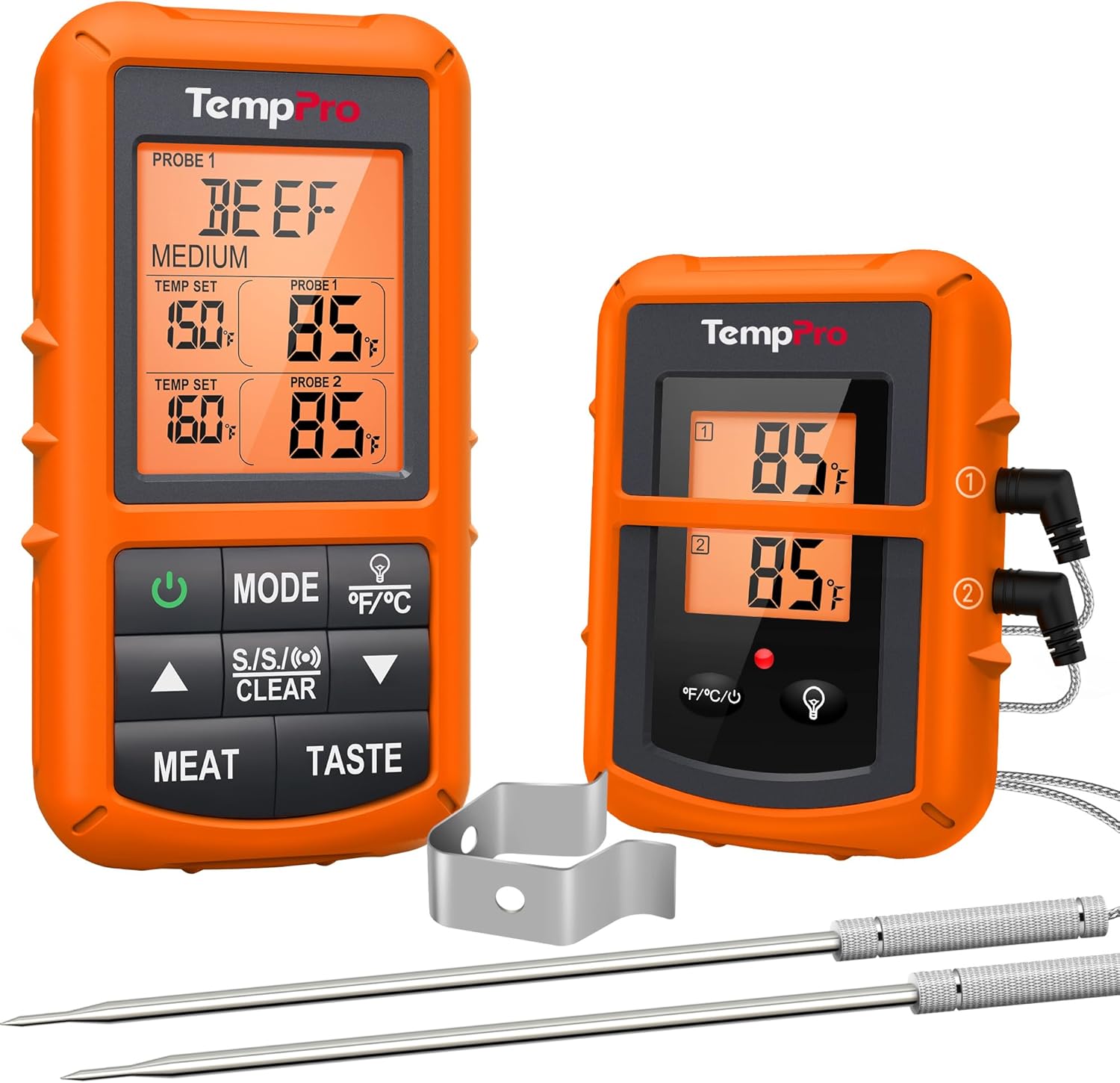
Once you have a stable reading, compare it to your target:
| Reading vs Target | What It Means | What to Do |
|---|---|---|
| More than 5°F below target | Not yet safe or done | Keep cooking, check again in 5 minutes |
| 3–5°F below target | Almost done — carry-over will close the gap | Remove from heat, rest the meat |
| At target | Done | Remove and rest |
| Above target | Overcooked (steak) or safely done (poultry) | Remove immediately |
How to Read a Digital Meat Thermometer
When you insert a digital thermometer probe, the numbers on the display will jump rapidly. This is normal — the sensor is equalising to the meat’s temperature.
The rule: do not read the number until it stops changing.
On a quality instant-read thermometer like the ROUUO ro-999, the display stabilises in 2–3 seconds. On slower or older models, wait up to 5 seconds. Once the number holds steady for two full seconds, that is your reading.
If the number keeps fluctuating and never settles, the probe tip may not be fully inside the meat. Reposition deeper into the thermal centre.
Reading the Display
Most digital thermometers show temperature in large numerals on an LCD screen. Some models include a backlight for reading in low-light or outdoor conditions. If your thermometer shows two decimal places (e.g., 164.8°F), the whole number is sufficient for cooking purposes.
To switch between °F and °C on most models: press and hold the power button for 3 seconds.
How to Read a Meat Thermometer Dial
Dial thermometers work differently from digital models and require more care to read accurately.
Find the sensor location first. On a dial thermometer, the sensor is not at the tip — it is located 1–2 inches up the stem, usually marked by a small notch or dimple. The entire sensor zone must be inside the meat for an accurate reading.
Wait for the needle to stop. Dial thermometers are much slower than digital models. Wait 1–2 full minutes for the needle to stop moving before reading.
Avoid parallax error. Look at the dial face-on, at eye level, not from the side. Reading the dial at an angle causes the needle to appear at the wrong position on the scale — this is called parallax error and can produce a reading that is several degrees off.
How to Read a Wireless Meat Thermometer
Wireless leave-in probes send temperature data to a phone app or a dedicated receiver. The reading updates continuously — you do not need to physically insert or remove anything during the cook.
Set a target temperature alert in the app before you start cooking. The app notifies you when the meat reaches your target. Most apps also display a graph of temperature over time, which shows how quickly the meat is cooking and whether it has hit a stall (common during long low-and-slow smokes).
Meat Temperature Reference
| Meat | Target Temperature |
|---|---|
| Chicken / all poultry | 165°F (74°C) |
| Ground beef / pork / lamb | 160°F (71°C) |
| Beef steak — medium rare | 130–135°F (54–57°C) |
| Beef steak — medium | 140–145°F (60–63°C) |
| Pork chops / roast | 145°F (63°C) |
| Fish | 145°F (63°C) |
| Brisket (sliceable) | 195°F (90°C) |
| Brisket (pulled) | 203°F (95°C) |
Typhur InstaProbe: Thermocouple instant-read with a 0.5-second response, fast enough to check without losing heat.
Frequently Asked Questions
How do you read a meat thermometer that starts at 0?
Some dial thermometers have a scale that starts at 0°F rather than 120°F. Read them the same way — wait for the needle to stabilise, then compare the number to your target temperature. The starting point of the scale does not affect accuracy.
My thermometer shows different readings each time. Is it broken?
Not necessarily. Variation usually means you are measuring different spots in the meat. The thermal centre is colder than the edges and surface. Always insert the probe to the same depth, in the same location, for consistent results. If variation persists from the same location, run an ice bath calibration test.
How do I know if my thermometer is reading correctly?
Run the ice bath test: fill a glass with ice, add just enough cold water to fill the gaps, insert the probe for 30 seconds. It should read exactly 32°F (0°C). If it reads outside 30–34°F, recalibrate or replace the thermometer. See our full calibration guide.
What does it mean when the thermometer beeps?
On models with temperature alerts (mostly wireless), a beep signals that the meat has reached the target temperature you set. On instant-read models, a single beep usually indicates the reading has stabilised.
See also: How to Use a Meat Thermometer · Where to Put a Meat Thermometer · Best ROUUO Meat Thermometer · Digital vs. Dial Meat Thermometer
